Proxy Servers
A proxy server is an intermediary that sits between a client and a destination server, relaying requests and responses on the client’s behalf. Because the destination only ever talks to the proxy, the proxy can hide, cache, filter, or inspect the traffic that passes through it.
How a Proxy Works
When you route a request through a proxy, your traffic reaches the proxy first. The proxy opens its own connection to the target, fetches the response, and hands it back to you. To the target site, the connection appears to originate from the proxy, not from your real IP address.
That masking is real but not absolute: the proxy itself sees your true IP, and most proxies keep logs. A proxy hides you from the destination, not from the proxy operator.
Proxies also speak different protocols, and the choice matters:
- HTTP/HTTPS proxies understand web traffic. For HTTPS they use the
CONNECTmethod to open a blind tunnel, so the TLS session stays end-to-end encrypted between you and the site. - SOCKS5 proxies operate lower down and forward almost any TCP (and some UDP) traffic — SSH, mail, game protocols — without parsing it. This makes them the workhorse for tools like
proxychains.
Forward Proxies vs. Reverse Proxies
Forward Proxy (protecting the client)
This is what most people mean by “proxy.” It sits in front of one or more clients and forwards their outbound requests to the internet.
- Anonymity: during authorised penetration testing, a tester may route tooling through a proxy so probes appear to come from a controlled egress IP rather than their workstation.
- Bypassing filters: a firewall that blocks a site only sees you connecting to the proxy; the proxy fetches the blocked content on your behalf.
- Interception: tools like Burp Suite run as a local intercepting proxy, letting you pause, read, and modify web traffic before it leaves your machine — the core loop of manual web testing.
A quick way to force a single command through a proxy is with curl:
# Route one HTTPS request through an HTTP proxy
curl -x http://127.0.0.1:8080 https://example.com

# Send traffic through a SOCKS5 proxy (e.g. an SSH dynamic tunnel)
curl --socks5 127.0.0.1:1080 https://example.com

# Open a SOCKS5 proxy on port 1080 via SSH, then chain tools through it
ssh -D 1080 -N user@jump-host
Reverse Proxy (protecting the server)
A reverse proxy faces the internet and forwards inbound requests to one or more backend servers. The client usually has no idea it exists.
- Load balancing: high-traffic services distribute requests across a fleet of backends so no single node is overwhelmed.
- TLS termination: the proxy handles HTTPS and certificate management, offloading crypto work from the application servers.
- Security: it hides the backend’s real IP and can run as a Web Application Firewall (WAF), filtering hostile input such as SQL injection before it reaches the database. Nginx, HAProxy, and cloud CDN edges are common reverse proxies.
Proxy vs. VPN
A proxy and a VPN both change where your traffic appears to come from, but they work at different layers.
A proxy is usually configured per-application: your browser or a single tool sends traffic through it, while everything else on the machine ignores it. A VPN operates at the operating-system level, encrypting and tunnelling all traffic from the device.
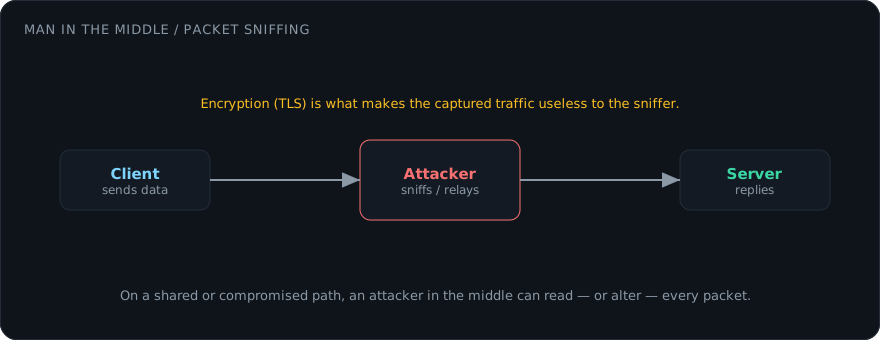
Encryption is the sharper distinction. A plain HTTP proxy does not encrypt the hop between you and the proxy, so anyone doing packet sniffing on the same network can read your unencrypted requests. A VPN wraps the entire link in an encrypted tunnel. For real anonymity and privacy, a proxy alone is rarely enough — it hides your address from the destination but exposes both your traffic and your identity to whoever runs the proxy.
Use proxies only against systems you own or are explicitly authorised to test. Routing an attack through an open proxy to hide your identity is still an offence — the responsibility follows the operator, not the IP.