Packet Sniffing
Packet sniffing is the practice of capturing and inspecting the individual packets that carry data across a network. It is the workhorse of network troubleshooting, protocol analysis, and defensive monitoring, and in the wrong hands it becomes a quiet way to harvest credentials and secrets. On an authorised network you own or have permission to test, a sniffer is one of the most revealing tools you can run.
How a Sniffer Captures Traffic
A network interface normally accepts only frames addressed to its own MAC address. Put the interface into promiscuous mode (and, on Wi-Fi, monitor mode) and it hands every frame it sees to the operating system, where a capture library like libpcap (Npcap on Windows) copies them for analysis.
What you can actually see depends on the link:
- On a switched wired network, a switch forwards unicast frames only to the destination port, so a passive sniffer sees mostly broadcast and its own traffic. Attackers widen their view with active tricks such as ARP spoofing or MAC flooding, which pull traffic through their machine.
- On Wi-Fi, everyone shares the same radio medium. In monitor mode you can observe management and data frames from nearby devices, though modern WPA2/WPA3 encryption keeps the payloads unreadable without the key.
- On a network you administer, a SPAN/mirror port or a physical network TAP feeds a copy of traffic to a dedicated analysis box cleanly and legitimately.
The Standard Tools
- Wireshark — the graphical reference tool. Its display filters and protocol dissectors turn raw bytes into readable HTTP requests, DNS queries, and TLS handshakes.
- tcpdump — the ubiquitous command-line capturer, ideal on servers and over SSH.
- tshark — Wireshark’s terminal companion, useful for scripting and large captures.
A typical capture-then-analyse workflow writes to a .pcap file for later inspection:
# Capture 500 packets on eth0 to a file, no reverse DNS lookups
sudo tcpdump -i eth0 -c 500 -n -w capture.pcap

# Only HTTP traffic on port 80
sudo tcpdump -i eth0 -n 'tcp port 80'

# Open the saved file in Wireshark for deep analysis
wireshark capture.pcap
Inside Wireshark, display filters narrow the noise fast:
http.request.method == "POST"
ip.addr == 192.168.1.10 && tcp.port == 443
dns.qry.name contains "example"
Reading capture output well means understanding the networking stack underneath it — IP addresses, ports, and the TCP handshake all show up frame by frame.
Legitimate Uses
- Troubleshooting: pinpoint retransmissions, latency, and misconfigurations by watching the conversation instead of guessing.
- Defensive monitoring: an intrusion detection system such as Snort or Suricata is a packet sniffer with rules, flagging exploit signatures and beaconing malware.
- Protocol and app debugging: confirm exactly what a client and server send, including malformed requests and unexpected redirects.
- Security assessment: during an authorised engagement, sniffing verifies whether sensitive data crosses the wire in the clear.
Why It Is Dangerous in the Wrong Hands
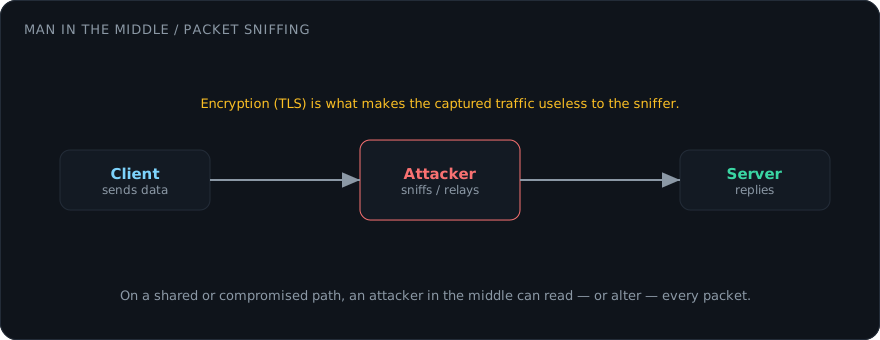
Any traffic sent without encryption is fully readable to a sniffer on the path. Legacy plaintext protocols — HTTP, FTP, Telnet, and unauthenticated SMTP — expose usernames, passwords, and session tokens directly. Sniffing is also the payoff stage of a man-in-the-middle attack: once an adversary reroutes traffic through their host, they capture and record everything that is not protected.
Running a sniffer against a network you do not own or have written permission to test is illegal in most jurisdictions. Keep your practice on your own lab, a virtual machine setup, or a sanctioned range.
Defending Against Sniffing
- Encrypt everything in transit. TLS (HTTPS), SSH, and a VPN turn intercepted packets into unreadable ciphertext. Verify certificates so an attacker cannot downgrade or impersonate the connection.
- Harden the switched layer. Enable Dynamic ARP Inspection, DHCP snooping, and port security to blunt the ARP spoofing and MAC flooding that make sniffing possible on a LAN.
- Segment the network. A firewall and VLAN boundaries limit how far any single compromised host can listen.
- Retire plaintext protocols. Replace Telnet with SSH and FTP with SFTP or HTTPS.
- Watch for the watchers. Sudden ARP table changes, unexpected promiscuous interfaces, or a host answering for addresses that are not its own are signs someone is capturing traffic.
Encryption is the decisive control: a sniffer can still grab the packets, but without the key the contents are noise.